The LED panels are what the audience sees. The processor decides how good they look. On fine-pitch walls, multi-source shows and camera-heavy productions, the processor is often the difference between an image that simply works and one that looks polished.
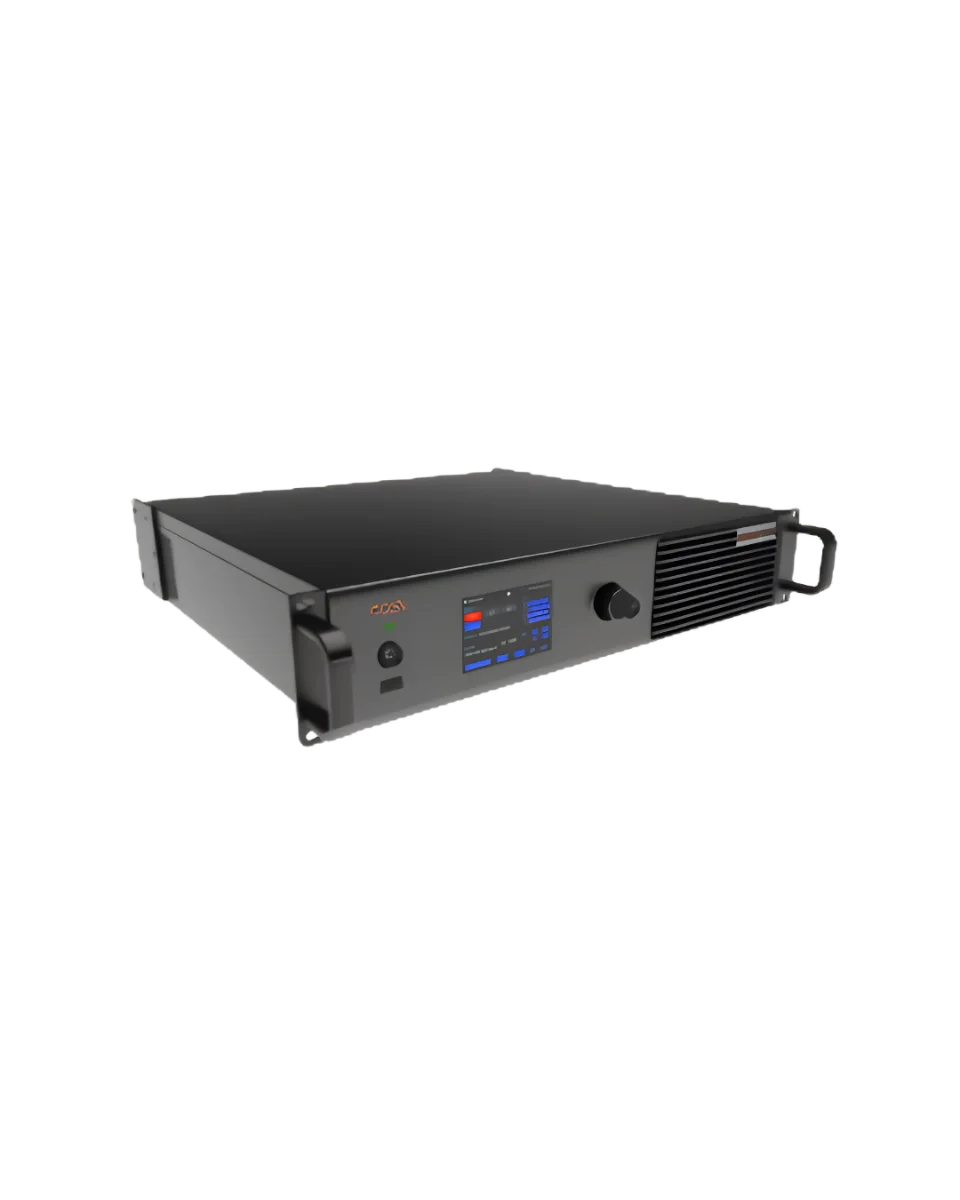
The NovaStar MX40 Pro is the flagship all-in-one controller in NovaStar's COEX series, and it's the processor we recommend for demanding LED rentals. This guide explains where it fits and what it brings to a live-event package.
Where the MX40 Pro Sits in the Signal Chain
A typical LED signal chain runs like this:
Sources: media servers, presentation computers, camera switchers
Switching and routing
LED processor
Receiving cards inside each cabinet
LED modules
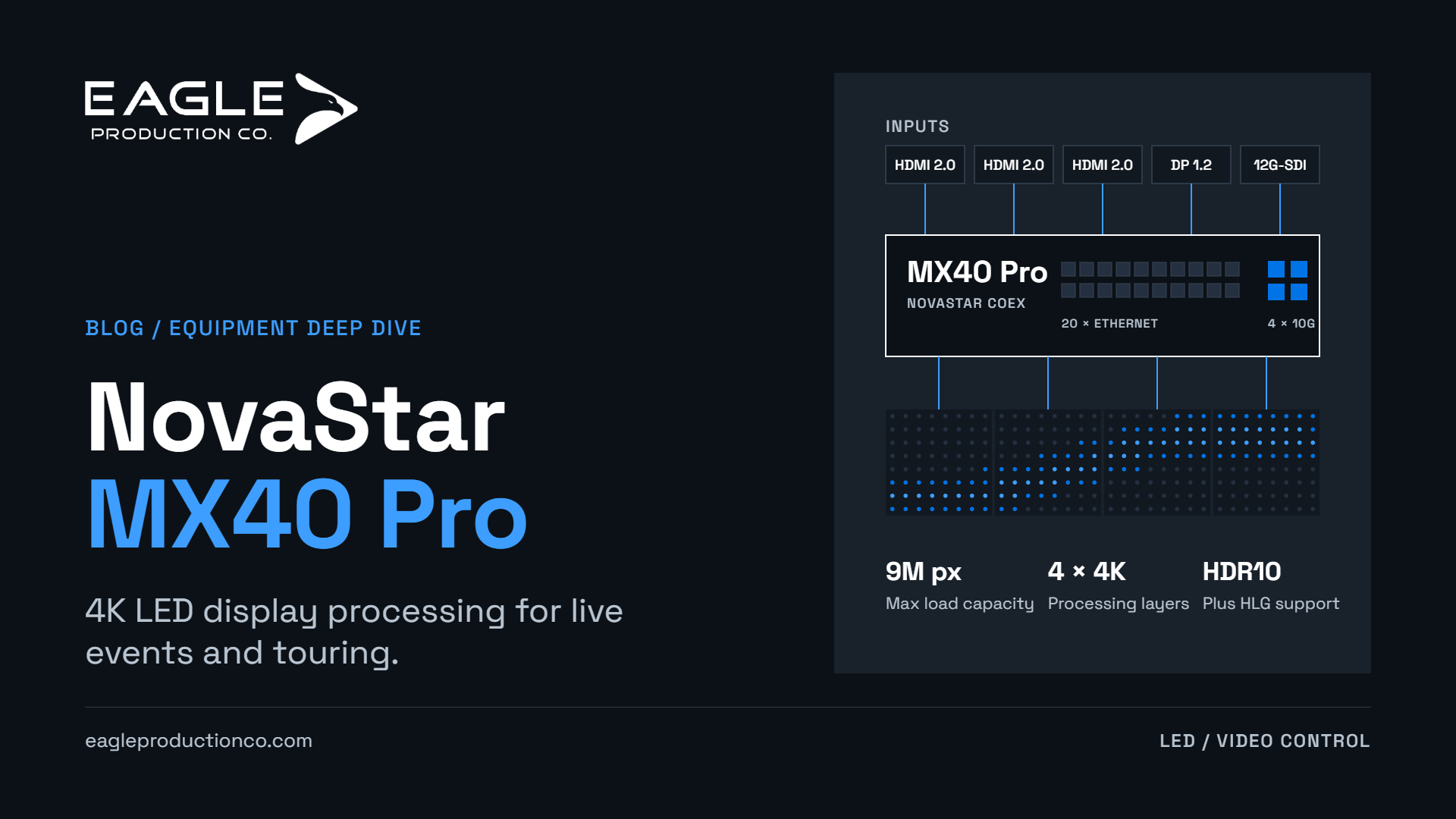
The MX40 Pro combines video processing and LED control in one box. It accepts your sources, scales and color-manages them, arranges them into layers, and maps the result onto the physical layout of the wall. It supports up to four independent 4K layers. On many corporate shows, that means picture-in-picture, logos and multi-source layouts can live inside the processor rather than in a separate switcher.
It can also run in a send-only mode, which drops latency further when upstream systems already handle the image processing.
HDMI 2.0, DP 1.2 and 12G-SDI Inputs
The MX40 Pro offers three types of input:
Three HDMI 2.0 inputs, each with loop-through
One DisplayPort 1.2 input
One 12G-SDI input, with loop-through
It accepts 8-, 10- and 12-bit signals, and inputs support 4K at 60 Hz. The 12G-SDI input matters on broadcast-style shows. It takes camera and switcher feeds natively over coax, supports standard SDI formats from HD up to 12G, and handles cable runs up to 50 m with the recommended cable.
Ethernet and Optical Outputs
On the output side, the MX40 Pro has 20 Gigabit Ethernet ports with a total load capacity of up to 9 million pixels. It also has four 10G optical ports.
Per-port capacity depends on frame rate and bit depth. At 8-bit, 60 Hz, each port can drive about 659,722 pixels. For a 2.6 mm product with 192 × 192-pixel cabinets, that works out to roughly 17 cabinets per port. At higher bit depths or frame rates the per-port figure falls, which is why data mapping is part of every wall design we do.
The optical ports can run in two modes:
20-port mode: two of the optical ports carry the Ethernet data and the other two carry copies of it for backup.
40-port mode: all four carry unique data, expanding the port count for more complex screen layouts.
Optical output lets the processor sit at front of house while fiber runs to distribution at the stage. That keeps long copper runs out of the picture.
VMP and the COEX Workflow
The MX40 Pro is set up and controlled through NovaStar's VMP (Vision Management Platform) software. VMP handles screen configuration, layer layouts, color settings and device monitoring. It also reports on the hardware, including temperatures, voltages and fault alerts, so problems can be caught before the audience notices.
Other workflow features that help on live shows:
Presets: up to 128 saved presets, so an operator can switch between looks, brightness levels or layouts with a single action.
Cascading: multiple MX40 Pro units can be linked over Ethernet control without a separate network switch.
Irregular screens: load capacity is counted by the pixels in the actual cabinets, not a bounding rectangle, so creative and irregular wall shapes don't waste capacity.
Image Quality, HDR and Frame-Rate Support
The MX40 Pro is built with high-end image quality in mind:
HDR: supports HDR10 and HLG.
Color tools: 3D LUT import, 14-channel color correction and color replacement give fine control over how content appears on the wall.
Dynamic Booster: analyzes each frame to improve contrast and detail (requires compatible receiving cards).
Frame rates: inputs from 23.98 Hz up to 240 Hz, including decimal broadcast rates. This matters when the wall has to match camera frame rates.
Low latency: latency at the controller is under one frame in send-only mode and one frame in all-in-one mode.
Some advanced features depend on the receiving cards used in the panels. We confirm compatibility for each panel and processor pairing we supply.
Redundancy and Long-Distance Transport Considerations
Redundancy is where a flagship processor earns its place on a show. The MX40 Pro supports hot backup between its Ethernet ports, so a failed data path can fail over to a backup. In 20-port optical mode, the copied optical outputs provide a second transport path. Genlock input keeps the wall in sync with the camera system on broadcast work.
For long runs, optical output is the clean answer. Plan fiber routes, stage-side conversion and backup paths together with the rest of the video system. That coordination happens with our video control rental team.
Pairing With Fine-Pitch LED Panels
Fine-pitch walls produce high pixel counts, and they need the capacity and image processing to match. The MX40 Pro is a natural partner for 2.6 mm products such as the INFiLED RS2.6. It has capacity for large walls, HDR support and the color tools to make fine-pitch content look its best. See our INFiLED RS2.6 technical guide for the panel side. Our LED wall rental guide shows how processing fits into the full package.
Live-Event and Touring Use Cases
The MX40 Pro is well suited to:
Corporate general sessions with multiple presenters, playback and camera sources
Concert and touring video, where reliability and fast recall of settings matter night after night
Broadcast and hybrid events that need SDI input, genlock and camera-friendly frame rates
Large or irregular walls that push past the capacity of smaller controllers
Creative installations that use multiple layers and HDR content
Add MX40 Pro Processing to Your LED Rental Package
Renting LED panels and need processing to match? Tell us your wall size, pixel pitch, sources and camera requirements. We'll specify MX40 Pro processing with the right data mapping and redundancy. Contact Eagle Production Co. to add MX40 Pro processing to your LED rental package.